Your Hands Gave Out Before Your Interest Did
When hand pain limits gaming to twenty minutes, identify the painful inputs, test free remaps and supports, and know which symptoms need a clinician.

You still want to play after twenty minutes
You get about twenty good minutes before a hot line begins in the web of your right thumb and spreads into the base of your palm. You continue for another ten because you are mid-game, then leave the controller on the chair arm and shake out your hand.
Three games this year ended that way. You did not finish them; you stopped, and you remember which titles and approximately which hour. The hobby that has switched off your brain since you were nine now has to be rationed in your thirties. Feeling upset about that is proportionate. You are losing a reliable form of rest. You are also receiving the first honest evidence that your body has opinions now and that further physical limitations will keep coming.
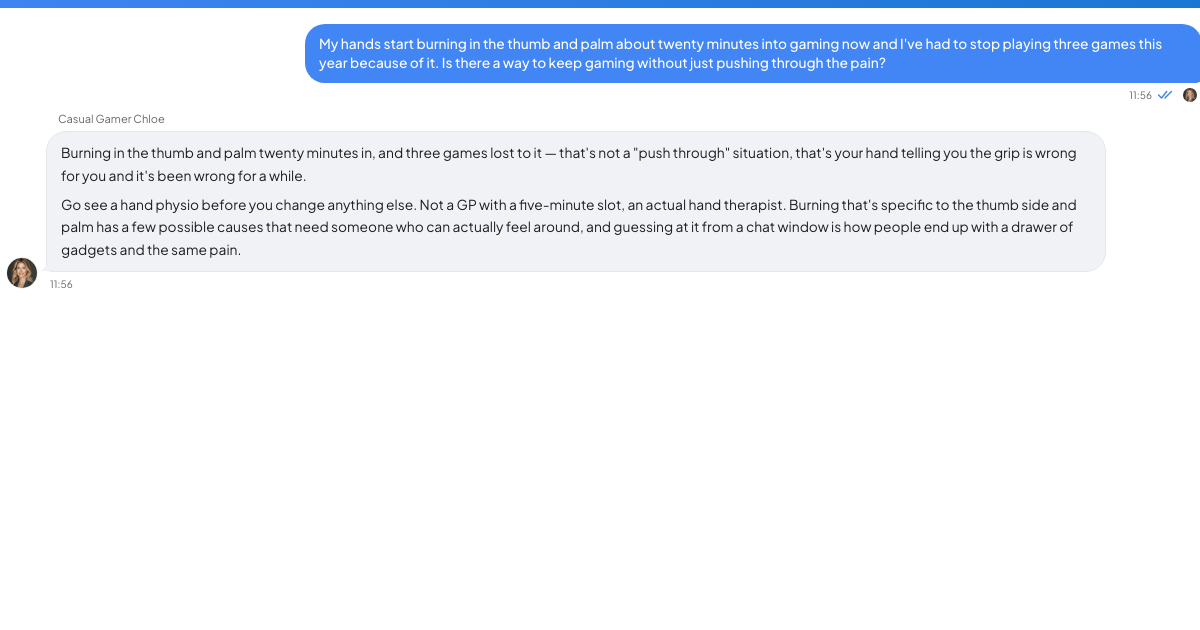
Pain that worsens month by month, wakes you, brings numbness or tingling, or makes you drop objects needs a GP appointment and often a hand therapist or physiotherapist who specialises in hands. An NHS hand-therapy service lists night waking, numbness or tingling, weak grip, clumsiness and dropping items among carpal-tunnel symptoms, while also explaining that diagnosis combines your history with physical tests (Ashford and St Peter's Hospitals). Those signs do not prove carpal tunnel; they show why settings cannot tell you the cause. Seek assessment early, while more options may remain reversible.
Assume you have booked that appointment or are waiting for it while you work through the practical changes below.
Observe the motion, not the genre
Generic search advice about stretches, a twenty-minute rule and a wrist brace mainly addresses prevention in people who do not yet hurt. At the other end, accessibility coverage focuses on an Xbox Adaptive Controller, PlayStation Access controller, mounting arms and switch inputs. That hardware is important when you need it, but it leaves a broad middle: you have enough hand to play, though not in the old way. With nobody publishing for that middle, you end up assuming your only choices are to push through or quit.
Use one twenty-minute session as an observation period. Record the minute discomfort begins and check five candidate loads:
- L3 sprint repeatedly compresses a thumb joint while you move.
- A hold-only aim trigger or hold-to-run maintains force without relief.
- Claw grip keeps your thumb on the stick while other fingers reach face buttons, perhaps repeating a position you have used since your teens.
- A D-pad menu wheel can demand repeated thumb travel during combat.
- Grip force rises when you white-knuckle the pad in tense scenes without noticing.
If L3 sprint and hold-to-aim are the two repeatable triggers, you now have two inputs to modify rather than a vague diagnosis of "gaming hurts." Change one variable per session and log onset time the next day; simultaneous changes cannot tell you what helped.
Start with the free settings layer
System-level remapping can work when a game lacks its own mapping menu. On PS5, Sony's documented path is Settings > Accessibility > Controllers > Custom Button Assignments for DualSense Wireless Controller, followed by choosing a button, assigning its new function and selecting Apply (PlayStation Support). Xbox uses the Xbox Accessories app, Switch has button mapping in system settings, and Steam Input offers per-game remapping on PC.
Move sprint away from L3 and onto a shoulder button or rear paddle so your least sore, strongest available finger handles it. Put any rapid repeat input in the same category. Turn hold actions into toggles for aim, crouch and sprint where the game exposes that option; Steam Input can often create a toggle when the game does not. Removing a sustained hold removes that portion of the load.
Test stick settings in opposite directions, one at a time. Lower sensitivity helps some people, while higher sensitivity reduces the thumb travel needed to turn a given distance. A wider dead zone can reduce constant micro-corrections while holding aim. Try one for a full session, note the minute symptoms begin, restore it, then test the other.
Gyro aiming, where supported, shifts aiming toward tilting the controller with your forearms and shoulders rather than driving every adjustment through a thumb. It suits some players and feels unusable to others. Xbox Controller Assist, formerly Copilot, can link an Adaptive Joystick with another controller for solo play or another player; Microsoft's accessibility announcement also confirms button remapping and multiple profiles through Xbox Accessories (Xbox Wire). In the older Copilot arrangement, two controllers could act as one, allowing controls to be divided across hands, devices or a person beside you.
Try the hardware between a standard pad and adaptive kit
Rear paddles transfer face-button actions to fingers that otherwise rest. A smaller or lighter controller can materially change an hour of holding weight. For compatible games, a fight stick or hitbox-style controller replaces the motion entirely. On PC, a trackball keeps the wrist still; a vertical mouse or drawing tablet used as a pointer creates another movement pattern.
Support costs least. Rest both forearms on a solid surface at a height where your hands do not have to hover. Compare that with unsupported elbows on a sofa for exactly twenty minutes using the same game and route. The game is unchanged; the physical load is not.
No device or posture is guaranteed for your hands. Treat each as an experiment, stop pushing through escalating pain, and bring your notes to the clinician.
Spend the available session on what you value
If sustained rapid input is your limitation, competitive fighting games, high-actions-per-minute strategy and precise twitch aiming will keep costing more than they return. A controller rig cannot remove a genre's core skill when that skill is the motion that hurts.
The rest of gaming remains large: turn-based tactics, deckbuilders, pausable strategy, city builders, point-and-click adventures, narrative games and puzzles all wait for your decision. Your taste may prove broader than your routine. You may instead discover that twitch play itself was what you loved and that no turn-based substitute replaces it; only trying can answer that.
If twenty minutes is your current limit, protect those minutes. Skip tutorials, loading, menus and fetch quests you do not care about when the game permits it; sit down with a specific objective. A hard session limit can make you pickier, and being pickier may feel better than an unlimited evening paired with guilt about your backlog. Your hands can constrain session length without deciding whether the hobby remains yours.
TrueTalk's Casual Gamer Chloe is an AI advisor written as a casual-gaming advocate and UX designer with accessibility and gaming-wellness specialisms. She is neither a clinician nor a hand therapist, so take the pain to your doctor. You can use her to identify which games survive a remap or order the settings experiments. The free tier includes ten conversations and one hundred messages per day.